PuppetCat
The open-source video editor your AI agent can actually use.
Alpha macOS AGPL-3.0-or-later
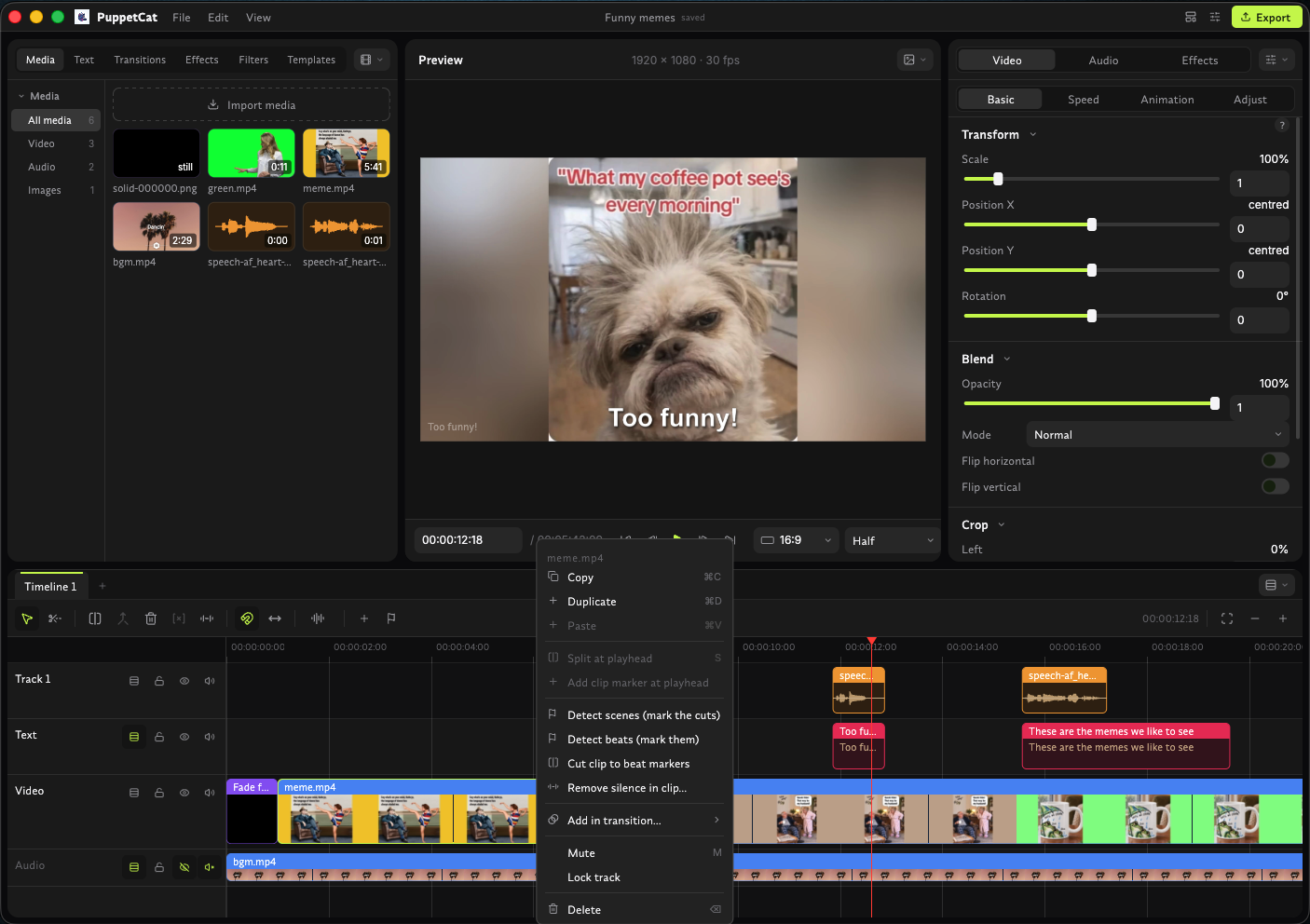
PuppetCat is a fork of Concat that makes the editor scriptable by AI agents. A native Rust engine does the work on your machine: no watermarks, no account, no subscription. You edit in the window, an agent edits over MCP, and both work on the same project.
Built for agents
- Agent-native by design The whole editor is exposed as MCP tools, not a thin subset. Agents drive a running window live, or work headless.
- One engine, two front ends The window and the agent interface call the same commands, so whatever you can do by clicking, an agent can do, and the other way round.
- Undoable, validated edits Agent changes land in the same undo history as yours, including atomic multi-step edit plans.
- Local and private Transcription and speech run on your machine, so footage is never uploaded.
- A CLI too
puppetcat-clidrives the engine without a window, for scripts and pipelines.
Editing features
- Multi-track timelines Place, move and trim clips across tracks, with several timelines per project.
- Full cutting toolkit Split, trim, ripple edit, merge, speed control, remove silence, scene detection and
cut_to_beats. - Transitions Cross-fades, wipe, push and zoom, with fade in/out bookends. Preview and export match.
- Auto-captions Local speech-to-text, no cloud service needed.
- Text-to-speech and voice filters Narrate a cut and clean up or play with sound.
- Titles and styled text Added and restyled programmatically or by hand.
- Templates and batch export Build a layout once, reapply it, and queue many exports at once.
- No paywall No watermarks, no account, nothing locked away.
Connect an agent
The MCP server speaks stdio and works with any MCP-capable agent, such as Claude Code or Codex. The macOS app ships it at PuppetCat.app/Contents/MacOS/puppetcat-agent-mcp. If a PuppetCat window is open the server forwards to it, so you watch the agent's edits appear on your timeline.
{
  "mcpServers": {
    "puppetcat": {
      "command": "/path/to/puppetcat-agent-mcp"
    }
  }
}
Then ask for what you want in plain language:
Make a new project, import everything in ~/Footage/trip, cut the clips to the beat of song.mp3, add captions, and export 1080p.
Get started
PuppetCat is in alpha. Grab the latest build from GitHub Releases. macOS is tested; the builds are unsigned, so after installing run xattr -dr com.apple.quarantine /Applications/PuppetCat.app. Windows and Linux builds are produced but still untested, and mobile and Raspberry Pi 5 are on the way. Testing it and reporting what breaks is the most useful contribution.